
Your money.
Your rules.
Your privacy.
Meet BudgetFort, the offline budget and expense tracker that helps you manage income, understand spending, plan monthly budgets and reach savings goals—without linking your bank account or creating a login.
- No account needed
- No bank connection
- No analytics or ads
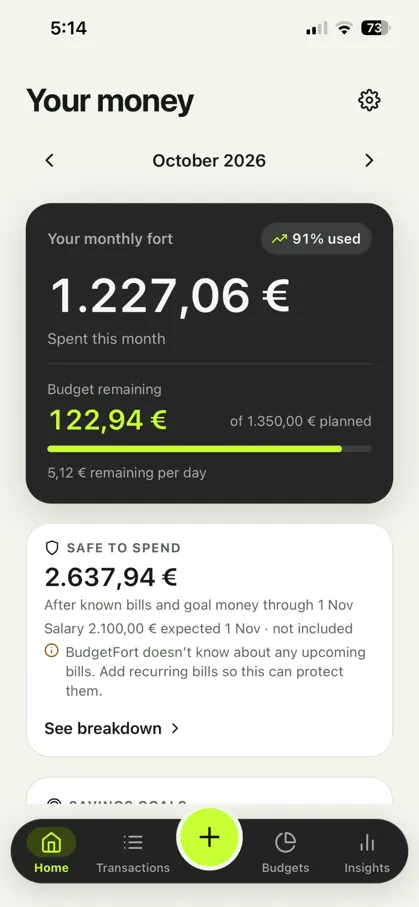
Everything you need to take charge of your money.
From the morning coffee to your annual plans, BudgetFort brings spending, income, accounts and savings into one organized place.
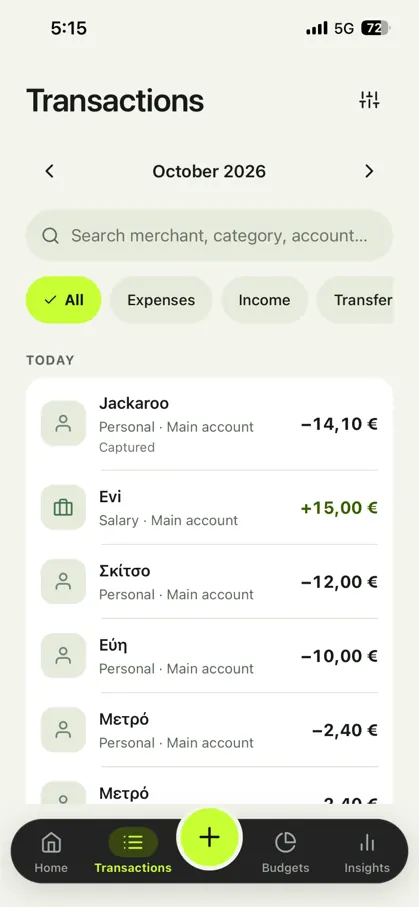
Know exactly where your money goes.
Track expenses, income, transfers and refunds. Search transactions, organize them with categories and split a single purchase across more than one category.
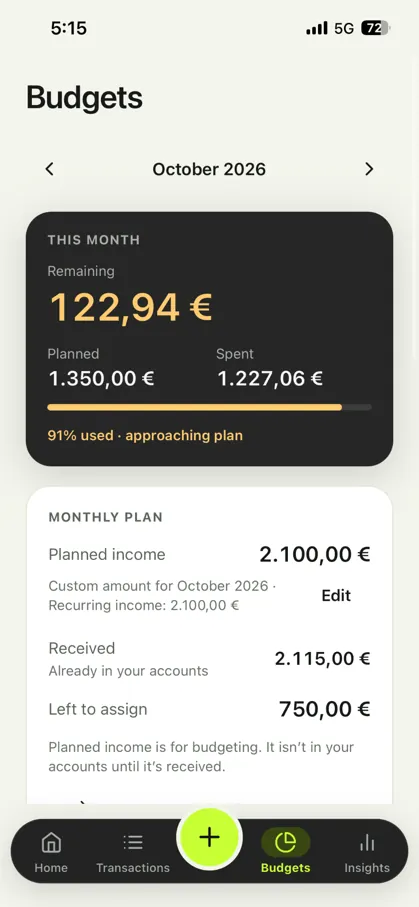
Build a budget that fits real life.
Plan income, assign spending limits to categories and follow progress through the month. See when you're approaching—or exceeding—your plan.
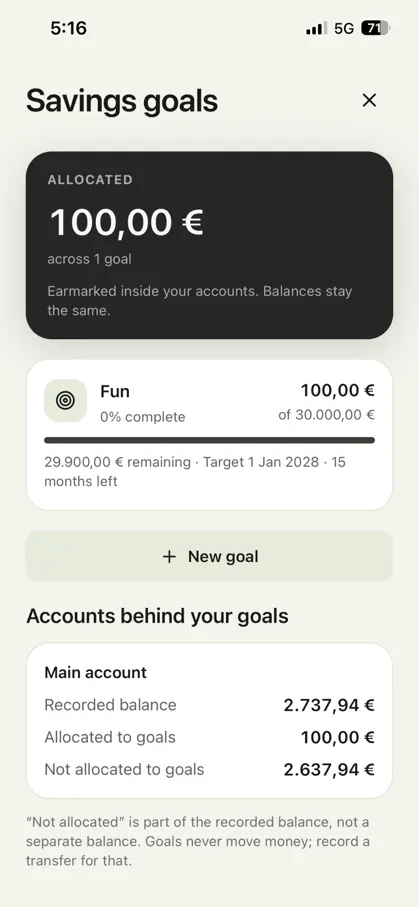
Make saving feel achievable.
Create savings goals, earmark money already in your accounts and track progress against target amounts and dates—without moving money automatically.
Pay as usual.
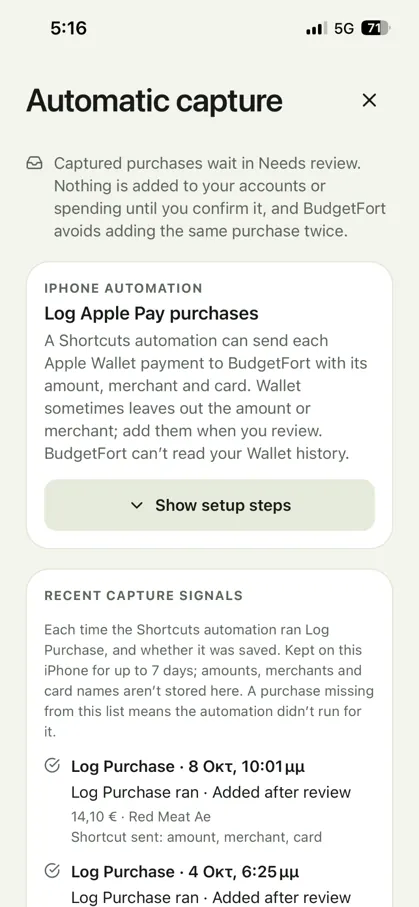
Capture with less effort.
Set up supported on-device payment automations to send purchase details to BudgetFort. On iPhone, an Apple Shortcuts automation can receive supported Apple Wallet payment information such as the amount, merchant and card when available.
Detected purchases enter Needs Review first. Confirm them before they affect your spending or account balance. Remembered merchants and card-to-account mappings make future reviews faster, while duplicate checks help keep your ledger accurate.
Start building better money habits in three steps.
- 01
Set up your accounts
Add the accounts you want to track, choose categories and set a monthly budget. No account registration or bank login required.
- 02
Record or capture spending
Add transactions manually, import a bank CSV, or configure supported payment capture and confirm suggested purchases.
- 03
See the bigger picture
Review spending trends, upcoming bills, cash available after planned commitments and progress towards savings goals.
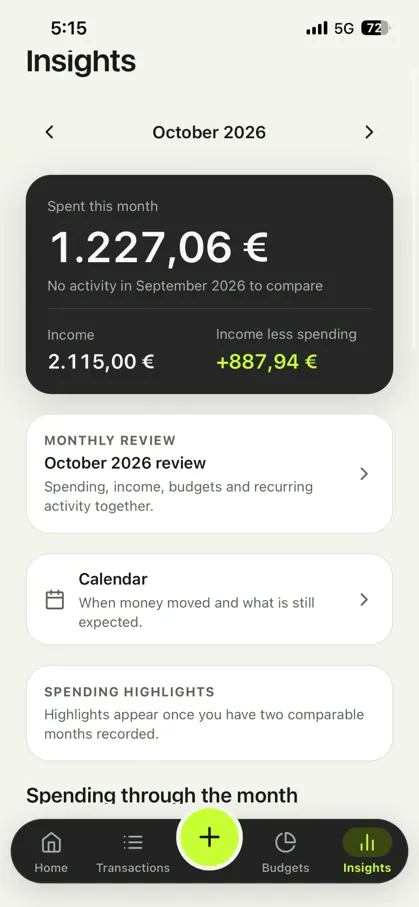
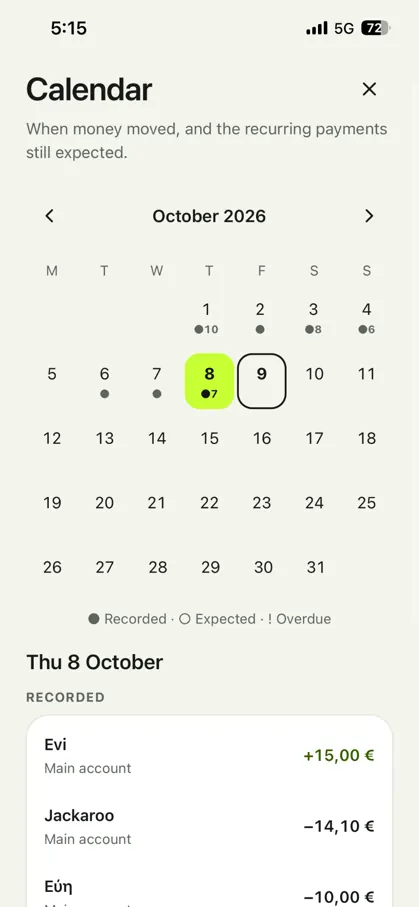
See the story behind every month.
BudgetFort turns your transaction history into useful, local insights. Review income versus spending, daily activity, category breakdowns and what is due next.
- Monthly reviews and spending highlights
- Daily spending visualizations and category breakdowns
- Financial calendar with recorded and expected activity
- Recurring expenses and income with configurable reminders
- Safe to Spend estimates based on recorded funds, known bills and goal allocations
Your finances are personal.
They should stay that way.
BudgetFort works offline, stores its native ledger on your device and does not require an account, bank connection, advertising trackers or cloud categorization.
Stored locally
Transactions, merchant rules, budgets and insights run on your device, without relying on an external finance server.
No bank linking
You don't hand over bank credentials to manage your everyday money.
Portable by choice
Create a local backup, export transactions as CSV or import a supported bank CSV when you choose.
Optional app lock
Require supported device biometrics or passcode to open the app. App lock protects access to the screens; it does not encrypt the database.
Important: BudgetFort’s local SQLite database is not currently protected by SQLCipher encryption, and exported backup files are not encrypted. Keep your device protected and store backups securely. Native ledger data is excluded from automatic operating-system backups, so export a backup before changing devices or uninstalling the app.
A budget app that goes further.
Recurring bills and income
Keep track of what is coming up, mark payments as paid or received and set private reminders.
Multiple accounts
See balances across checking and other tracked accounts. Currency totals remain separate rather than being silently converted.
Flexible categories
Organize everyday spending with default or custom categories—and split purchases between them.
Household reports
Share a monthly report file on your terms or import someone else's read-only snapshot without changing your own ledger.
Home Screen shortcuts
Quick Add widgets and supported iPhone Siri and Back Tap actions can make recording expenses quicker.
Import and export
Import transactions from a bank CSV with column matching and review; export a CSV for your own analysis.
Frequently asked questions.
Direct answers to the questions people ask before choosing an offline expense tracker.
What is BudgetFort?
BudgetFort is an offline personal finance app for tracking expenses, income, transfers, budgets and savings goals. It keeps your financial ledger on your device instead of requiring a cloud finance account.
Does BudgetFort work without internet?
Yes. BudgetFort's core ledger, budgets, categories, merchant rules and financial insights work locally without an internet connection. Sharing or importing a file through another app may use connectivity depending on the method you choose.
Do I need to connect my bank account?
No. BudgetFort does not require bank credentials or an account connection. Add entries manually, import a compatible CSV file, or use supported on-device capture options.
Can BudgetFort automatically track Apple Pay purchases?
On supported iPhones, you can configure an Apple Shortcuts automation to pass available Wallet payment information to BudgetFort. Detected purchases are placed in Needs Review and are recorded only after you confirm them. Some payments may not provide all fields, and BudgetFort cannot read your historical Wallet transactions.
Does BudgetFort support Android payment capture?
BudgetFort's Android automatic capture depends on the supported Android build, device and configured local detection options. Check the Android app's Automatic Capture setup for the capabilities available on your device.
Can I create monthly budgets and savings goals?
Yes. Set monthly planned income and category budgets, monitor spending and allocate part of your existing account balances towards savings goals with target amounts and dates.
Can I export or back up my financial data?
Yes. You can create a local backup, export transactions to CSV and import compatible bank CSV files. Exported backup files are not encrypted, so save them somewhere secure. A CSV export is not a restorable BudgetFort backup.
Is BudgetFort encrypted?
BudgetFort offers an optional device biometric or passcode app lock, but app lock does not encrypt the underlying SQLite database. SQLCipher database encryption is not enabled in the current build.
Better money habits.
Without giving up your privacy.
Track everyday spending, stay on top of your budget and make room for what matters—on your terms.
App store links must be added before publishing. Features may vary by platform.